 Robomori
Your agent sees each change on a real device
It edits the code, reinstalls the app and looks at the screen, the same loop you'd follow. You see every change on the emulator next to your editor.
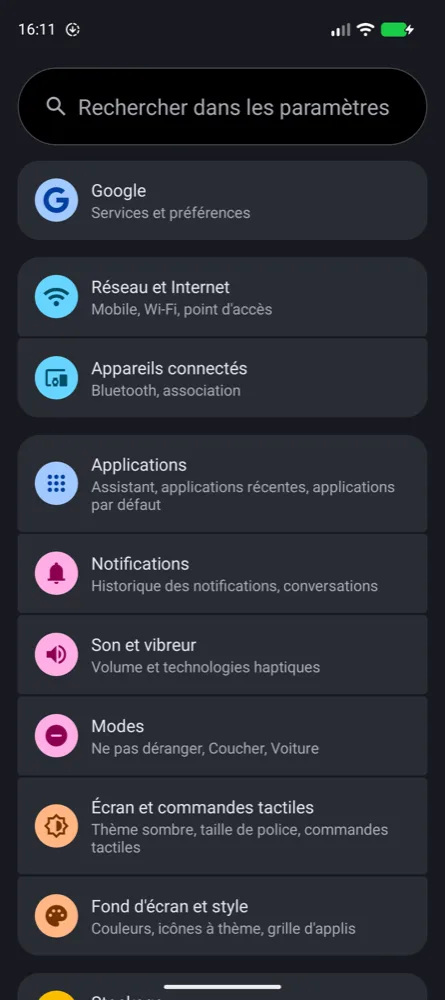
Your agent starts emulators, switches dark mode and language, and takes screenshots to check the app it built.
Works with Claude Code, Codex, Cursor, Gemini CLI and any agent that runs terminal commands
Emulators are free. Screenshots and device controls are a one-time $29.
$ robomori emulator create pixel-10 --start
Starting Pixel 10…
emulator-5554
$ robomori screenshot -o light.png
$ robomori controls dark-mode on
$ robomori controls locale fr-FR
$ robomori screenshot -o dark-fr.png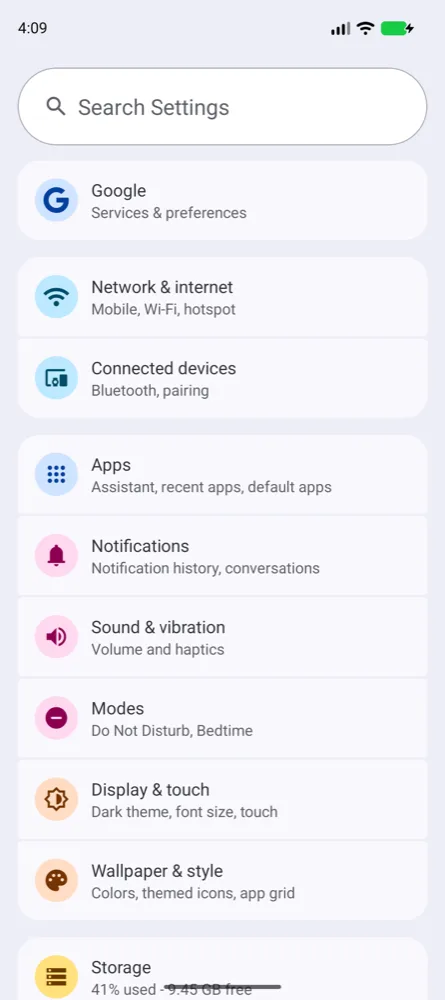
It edits the code, reinstalls the app and looks at the screen, the same loop you'd follow. You see every change on the emulator next to your editor.
Phones, tablets, foldables, watches and TVs. Your agent creates an emulator, waits until Android has booted, and gets the serial to install your app with adb.
Switch dark mode, font size, language, TalkBack and animations with one command each, then look again.
Your agent saves the screen after each change and looks at it, so it can tell whether the UI came out right.
Record the screen for as long as the flow takes. No 3-minute limit.
The same commands work on a phone plugged in over USB or paired over Wi-Fi.
Apply a setup you saved in the app, such as "French, large text, dark", by its name.
--json to any command, errors included.robomori help lists every command and its options.Paste this into your agent. It checks for Robomori, asks you to install it if needed, starts an emulator, installs the Robomori skill and notes the command in your project's AGENTS.md.
Read https://robomori.com/agents/setup.md and set up Robomori for this project.Or by hand: download Robomori, install the command in Settings → Command Line, then install the Robomori skill:
npx skills add robomori/skillsAnd add this to your AGENTS.md or CLAUDE.md:
Use the robomori command to run and check the app on Android emulators.
Run `robomori help` to see what it can do.Paste the prompt into your agent, or download Robomori for Mac, Windows or Linux.
 by @alexstyl
